I tried DuckDuckGo. I tested by doing the same search on DuckDuckGo and Google, and found that DuckDuckGo missed a lot of results that Google found.
In particular, I found that DuckDuckGo failed when I was doing super specific searches.
But with Kagi, I literally found results that Google did not have and that I did not know existed.
And one of my favorite aspects of Kagi is that next to each result, there's a shield icon you can click, and for any given search result, you can click on it to say to never show results from this given domain again, or to basically upvote a particular domain so it tends to appear more in your search results, or to downvote it so it's not quite banned, but appears last in your search results. And it uses AI to show you what it knows about that result's domain. And the three dots next to the shield let you do things like open the page on archive.org, or click to summarize the content of the page the search result link points to.
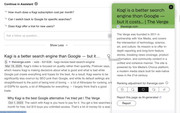
It also intentionally deprioritizes AI-generated content(both in the normal search results AND in the image searches). And it has a field where you can just paste in a list of whatever domains you want NEVER to see in search results(which works in conjunction with doing it through the shield).
And it has "category" searches. I don't mean categories for what type of media you're looking for(pages, images, video, et cetera), but categories for the sites themselves. If you want to limit the category of your results to "recipes", you'll just get recipes. If you want to limit the category to forums, you will ONLY get forum-structured sites containing the kinds of things you're looking for. Or if you just want academic results, you just choose "Academic" from the pop-up menu at the top. And you can make your own categories if you want to, so for example, if you wanted to create a category for Mac-oriented technology forums, you absolutely could.
And its "news" section has literal checkboxes next to each article, so you can "Mark as read" like you can on this site. But it also has a "Time Travel" feature, where you can click the calendar icon at the top of a news page, and can jump to a given day in the past and can see what the news page looked like on that day.
And it has an API that you can use to integrate with it.
They give a free trial of 100 searches, and I would absolutely recommend checking it out.
This isn't just acceptable as a replacement for Google. This actually has features which make it better than Google at the moment, IMHO.


