Orion is from a commercial company called Kagi.
Kagi is a different kind of search engine(and hear me out about it, because I am an active user and use it instead of Google, honest!).
The whole point of Kagi is to be user-centered. With most search engines like Google and Bing, the search engine isn't the product. Google makes the search engine, and the user believes it's good, so the user keeps coming back. Google then monetizes your use of the site in every way possible, like:
scanning your gmail messages to identify what kind of a person you might be, to determine your activities, interests, and demographics
recording your search engine searches to do the same
if you use Google Voice, transcribing your calls and messages to do the same
if you use YouTube, looking at your watch history to do the same
using its advertising network and subsidiaries(AdWords and sites like DoubleClick) to have different companies put a single piece of data onto their sites, so that when you load those sites, they request that little piece of data from Google's website, to let Google know what sites you're actually visiting
releasing a browser(Chrome) which tracks telemetry(with telemetry being every aspect of everything you've done as part of that activity), and which looks at things like your hardware, your location, et cetera, so they can make determinations about the absolute best ways to market to you
And then they sell all of this information to advertisers. With search engines like Google and Bing, the site is not the product and you are not the customer. Your data is the product, and the advertisers are the customer.
With Kagi, it basically flips this. Kagi is not free. It actually costs $5-10USD per month.
But for that, you get a hell of a lot:
The interface bloat is not there. The interface is simple, with no ads.
There's zero paid placement, so the results that show up first are legitimately the searches that Kagi has determined are most appropriate for what you searched for.
Next to each search result, there's a little "settings" icon which you can click on to bring up a menu. The menu gives a whole bunch of options about how you want to treat search results from that domain("Block"/"Lower"/"Default"/"Raise"/"Pin"). If you never want to see results from a given domain, you just say so, and you'll never see results from it again. Or you can "lower", so the search results from that site still appear, but just at the end. Or you can "raise" it, which means that you think that site has good results, or "pin", which means "This site is one of the best."
Instead of trying to return literally every site that contains what you're searching for, Kagi does a bunch of really useful things like trying to identify which sites are the originals, trying to label things made by AI and letting you filter them, letting you sort sites by a whole bunch of different criteria(like most recent to oldest, or like ordering all of the results by which site they're on, and having categories for searches, or even to create your own categories based on criteria you choose). Some of the existing categories are things like "Academic", "Forums", and "PDFs".
There's a "summarize" link next to each result, so you don't have to click on it if you don't want to. This saves so much time.
Kagi anonymizes its searches, and allows users to register with email aliases(like through SimpleLogin), and you can pay through cryptocurrency. I registered using an anonymous email address, paid through Bitcoin, and used a VPN to sign up. No problem.
Kagi actually uses the Google index, so it is searching a huge index of sites, but it tends to present you the most relevant pages, not just the most pages. It's found a lot of things that I couldn't find on Google. I tried tons of search engines, and Kagi was literally the first one that didn't make me want to run back to Google immediately. In fact, I went "Oh man, I actually like this MORE than Google."
Kagi behaves exactly like you'd expect a product you paid for to behave, and it's pretty inexpensive. Like I said, $5-10 per month.
https://kagi.com/pricing

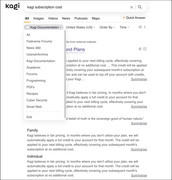
Side note: If you want to, you can also include a subscription to their "Ultimate" service, which includes all of that, plus anonymized access to multiple different AI agents(the common ones that people use, like Claude, ChatGPT, DeepSeek, et cetera). In the sidebar, you can create different folders to sort your chats. By default, the different AI sessions expire and disappear after 24 hours, but you can expand this to keep them around for longer. I have mine set to expire after a month, but for any given session, you can click on them and pin them. You can also have multiple chats open with different AI agents. The interface is by far the cleanest AI interface I've seen from any AI site.
And Kagi has things like family subscriptions. I got everyone in my family off of Google using Kagi.
Orion Browser is designed with the same kind of user-centeredness, instead of being centered toward businesses. It allows you to do things like use both Chrome extensions AND Firefox extensions at the same time, as well as having features to actively strip tracking links when you're browsing, integrating really well with other useful services like password managers, and being a Mac-focused company, so behaving like a very well-behaved Mac app. You can even add programmable buttons to your button bar, to do whatever functionality you might want a button to do.
The session management in Orion Browser is VERY well done. So for example, for any reason, if you wanted the ability to sign in to more than one account on the same site(not just for nefarious purposes, but also for valid ones), Orion is very good at that. Its tab management is good, allowing you to create different groups of tabs and assign them an icon, so for example, if you wanted to have a group for work accounts and one for personal accounts, that's doable. And you can even assign keyboard shortcuts for your different tab groups, so if you wanted to set a keyboard shortcut to jump to your work tabs and another to jump to your personal tabs(or hell, one for "private" tabs that you wouldn't want visible for others), that's all completely doable. Kagi's privacy focus is a big part of Orion Browser.
It's good to keep in mind that Kagi is a small business, not a huge company, and that they're trying to make products that center the person using them, instead of corporations. They're not that expensive. Kagi is $5-10 per month based on your usage(up to 300 searches per month for the $5 plan or unlimited searches for $10). Orion Browser is completely free if you just want to use it, or $5 per month for some additional features, or $150 for a lifetime subscription(which also helps keep the company in business).
I've been using Kagi for a long time now, and I think it's very much worth it. Orion Browser has a ton of features, but my brain really wants vertical tabs on the right and wants them to be nested. But I have zero reservations about recommending that people check out Orion Browser. I think very highly of Kagi. To be honest, any complaints I have about it are minor, and are actually more accurately complaints about macOS itself, and the only reason I'd consider them complaints about Orion Browser are because the browser is SO Mac-standards-compliant that Orion Browser inherits some behaviors I don't necessarily like 100% from macOS. Orion Browser itself is a very good product.